

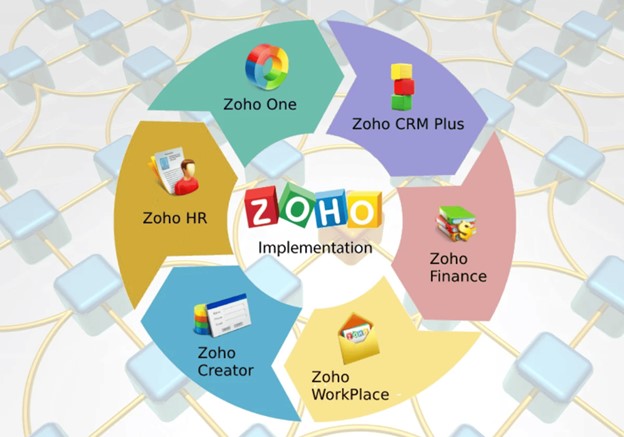
All businesses need intelligent software solutions to work well in today's fast-paced digital world. Automation has many aspects of business operation and it increases the effectiveness and efficiencies throughout the entire company from Sales and Marketing through to Accounting and Human Resources. Companies who purchase products from Zoho Corporation will benefit from these capabilities, however buying the software by itself will not guarantee favourable results. The best way to achieve the desired benefits is for the organisation to take the time required and correctly implement the Zoho solution.
Pridex Digital Solutions Pvt Ltd is a company that helps organisations with the strategic implementation of Zoho solutions by ensuring they are implemented correctly, configured correctly and able to achieve long-term goals. This site provides an overview of the Zoho implementation process sets out the benefits of using these solutions, and provides recommendations for best practices to achieve maximum value from using them.
The Process of Implementing a Cloud-Based Business Solution (Zoho)
To ensure a successful implementation of your cloud-based business software solution you must first follow the structured, step-by-step implementation process listed below:
1. Determine Your Business Needs
To begin the implementation process, you must consider your company's business model, workflows, pain points, and objectives. Every company has unique ways of doing business, and the first step to ensuring that you will receive the correct software to meet your needs is to codify your requirements.
2. Create a Solution Plan
Once the requirements analysis phase is complete, you will be able to create an implementation roadmap that outlines your solution plan. The solution plan should include which Zoho applications to implement and how those applications will interact with one another, define all applicable workflows, create an automation rule for those workflows, and any required integration between systems.
3. Configure and Customise the System
After creating your solution plan, you must configure Zoho applications to align with your processes. There will be custom fields added, new modules created, dashboards developed, and automation workflows created that will follow your business's operational model. This ensures that your team can best use the system.
4. Migrate Data
Once the applications are configured and customised, you will need to migrate legacy data from Excel or other databases to Zoho applications. To ensure that your data is accurate and business continuity is maintained, data migration must be performed correctly.
5. Integrate Other Systems with Zoho Tools
In order to create a connected ecosystem, Zoho tools will need to be integrated with other software solutions used in your business, such as accounting software or third-party marketing tools.
6. Perform Testing / Train Employees
Before going live with the implementation, the system should be fully tested to eliminate any errors. In addition, your employees will need to be trained on how to properly use the applications and complete their daily activities smoothly post-implementation.
7. Go Live/Provide Ongoing Support
Once the implementation process is complete and the system is working as expected, the business system should be supported on an ongoing basis with regular updates and optimization to ensure the system continues to align with your company's needs.
Reasons to Use Professional Zoho Implementation Services
More Productive
Using automated workflows means that there will be fewer repetitive tasks to perform, therefore increasing productivity, saving time and reducing the amount of work done by each department.
Better Organized Data
When all of your data is stored in one central location, the different teams can access current information at any time, this creates better data integrity and improves collaboration.
Improved Customer Service
Businesses with well-configured CRMs and communication tools are able to respond more quickly and manage customer relationships more effectively
Scalability of Applications
As your business grows, the Zoho system will grow with it, provided you have implemented it correctly without causing any disruption.
Higher ROI
When used effectively, Zoho applications provide measurable results in both performance and operational efficiency.
Successful Implementation of Zoho
Establish Specific Goals
Determine what you want to accomplish - improved sales tracking, enhanced reporting capabilities, increased automation, or improved communication among your team members.
Involve Major Participants
Make sure various departments are represented at all stages of an implementation project to ensure that the system will address the business requirements of all departments.
Focus on Customization
Avoid using default settings; customize the software to meet your company's specific workflows and the requirements of your industry.
Support Learning by Employees
The successful adoption and use of a new system require that employees receive proper training to optimize their productivity within the new system.
Select an Experienced Implementation Partner
An experienced professional can ensure that your system is configured properly during the initial implementation process, migrate data, and continue to provide you with support after the initial installation phase of your project has been completed.
Conclusion
Installing Zoho is only one component of implementing the Zoho platform it actually focuses on changing your business processes. Using a structured method with expert customisation and training will produce and sustain future results.
Organisations will be able to take advantage of the power of the entire Zoho ecosystem by using a solid strategy and professional assistance to enhance their procedures, improve their performance, and create a sustainable future.